The Ultimate Mini PC Rig for Digital Nomads: Engineering Your Portable Powerhouse
The evolution of remote work has ushered in a new era of location independence. For the technical professional on the move, a meticulously configured Mini PC isn't just convenient—it's the core of a highly efficient, secure, and powerful mobile workstation. This guide provides a technical deep dive into selecting components, optimizing software, and implementing robust security for a seamless nomadic operation.
Why a Mini PC is a Technical Superiority for Mobile Professionals
Beyond simple portability, Mini PCs offer architectural advantages over laptops for the power user:
-
Unmatched Modularity: Unlike soldered laptop components, most Mini PCs allow for easy RAM and SSD upgrades, future-proofing your investment and simplifying repairs.
-
Sustained Performance: Superior thermal designs often allow for higher and more consistent performance under load compared to thermally-throttled laptops of similar specs.
-
Connectivity Hub: Multiple USB4/Thunderbolt 4 ports enable high-speed peripherals, dual 4K monitor setups, and eGPU enclosures for desktop-level graphics on demand.
-
Total Cost of Ownership: Achieving comparable desktop-level performance with a laptop often carries a significant premium. A Mini PC setup (unit + peripherals) can be 25-40% more cost-effective.
Pro Tip: Utilize USB-C Power Delivery with a high-wattage GaN charger to power your Mini PC, portable monitor, and phone with a single cable, drastically reducing cable clutter.
Component Selection: Building a Performance-Optimized System
1. The Core Unit: Processor and Chipset Selection
The choice of CPU dictates your entire workflow capability. Focus on the latest architectures for efficiency and integrated graphics performance.
-
High-Performance Pick: Minisforum UM790 Pro (AMD Ryzen 9 7940HS). Its Zen 4 architecture and powerful Radeon 780M iGPU handle 4K video editing, light 3D rendering, and smooth emulation.
-
Efficiency-Focused Pick: Intel NUC 13 Pro "Arena Canyon" (Core i7-1360P). Intel's hybrid architecture excels in single-threaded tasks and offers excellent software compatibility and Quick Sync for media encoding.
-
Key Technical Specs:
-
CPU: Target Intel 12th Gen (Alder Lake) or newer, or AMD Ryzen 6000/7000 series for RDNA 2/3 iGPUs.
-
RAM: 32GB DDR5 is the new sweet spot for heavy multitasking, virtualization, and large datasets. Ensure dual-channel configuration for maximum iGPU performance.
-
Storage: A 2TB PCIe 4.0 NVMe SSD (e.g., WD Black SN850X) provides ample space and near-instantaneous load times for applications and virtual machines.
-
2. Persistent Connectivity: Beyond Public Wi-Fi
Unreliable networks are the primary bottleneck. Engineer your own reliable internet stack.
-
5G/LTE Solution: Peplink BR1 Mini 5G. A ruggedized, professional-grade router with built-in 5G modem, dual SIM slots, and WAN failover. It can bond multiple connections (e.g., cellular + public Wi-Fi) for increased speed and reliability using SpeedFusion technology.
-
Advanced Hotspot: Netgear Nighthawk M6 Pro (MR6500). Offers a Wi-Fi 6E network and a 2.5 GbE Ethernet port for a wired, high-speed connection to your Mini PC.
-
Critical Adapter: Cable Matters USB-C to 2.5Gb Ethernet Adapter. Essential for tapping into wired hotel or co-working internet for lower latency and higher stability than Wi-Fi.
Software and Security: Hardening Your Mobile Office
1. System Optimization and Management
-
OS Considerations: While Windows 11 Pro (for BitLocker encryption) is standard, consider a lightweight Linux distribution like Pop!_OS or Fedora Workstation for development work, offering better performance and control.
-
Remote Access: Tailscale or ZeroTier create a secure, encrypted "mesh network" between your devices, allowing you to access your home NAS or desktop as if you were on the same local network, without complex port forwarding.
-
Backup Strategy: Implement a 3-2-1 rule. Use Veeam Agent (free) for system image backups to an external SSD. Sync critical files to a cloud service like Backblaze B2 or Wasabi for cost-effective, durable storage.
2. Enterprise-Grade Security Protocols
-
Network Security: Mullvad VPN or IVPN for proven no-log policies and anonymous account creation. Use their WireGuard configurations for faster speeds and lower battery impact.
-
Hardware Encryption: For sensitive data, use a Samsung T7 Touch or Apricorn Aegis Padlock USB drive with on-device encryption and PIN protection, mitigating risks from malware and physical theft.
-
Physical Security: A Kensington Master Lock with a braided steel cable. Many Mini PCs, like the Intel NUC, have reinforced Kensington lock slots.
Advanced Deployment: The Ruggedized Field Setup
1. Power Engineering for Extreme Mobility
-
Universal Charger: Anker 737 GaNPrime (120W). Powers most Mini PCs (up to 100W via USB-C PD) and charges additional devices simultaneously.
-
Off-Grid Power Station: EcoFlow River 2 Pro (768Wh). Its compact form factor can power a Mini PC setup for 8+ hours and can be recharged via solar panel, ideal for remote locations.
2. Environmental Hardening
-
Transport: Harbor Freight Apache 1800 (Pelican-style case) with custom-picked foam provides shock and water resistance during transit.
-
Operational Cooling: In dusty environments, place the Mini PC on a stand and use a small USB-powered fan to improve airflow and prevent dust accumulation. In humid climates, include silica gel desiccant packs in your storage bag.
FAQ: Technical Inquiries
Q: Can a Mini PC truly replace a high-end laptop for software development?
A. Absolutely. With 32GB+ RAM and a modern 8-core CPU, you can comfortably run multiple Docker containers, IDEs, and a local database. The ability to connect to dual high-resolution monitors at a "home base" provides a superior ergonomic experience.
Q: How do I handle GPU-intensive tasks like AI modeling or 3D rendering?
A. The eGPU (external GPU) solution is your answer. Using a Thunderbolt 3/4 port, you can connect an enclosure like the Razer Core X housing a desktop GPU (e.g., NVIDIA RTX 4070). This provides desktop-level graphics power when stationary, while maintaining portability.
Q: What's the best practice for BIOS/UEFI security while traveling?
A. Before travel: Set a BIOS/UEFI supervisor password. Disable booting from external devices. Enable Secure Boot to prevent unauthorized operating systems from loading. This adds a critical hardware-level security barrier.
Q: Is it feasible to run a home server on a Mini PC?
A. Yes, it's an excellent use case. A low-power Mini PC (like one with an Intel N100 CPU) can run 24/7 as a portable server for Plex, Home Assistant, or a personal Nextcloud instance, consuming minimal power.
By applying this engineering-focused approach, your Mini PC transforms from a simple computer into a resilient, high-performance hub capable of supporting a demanding professional workflow anywhere on the planet.
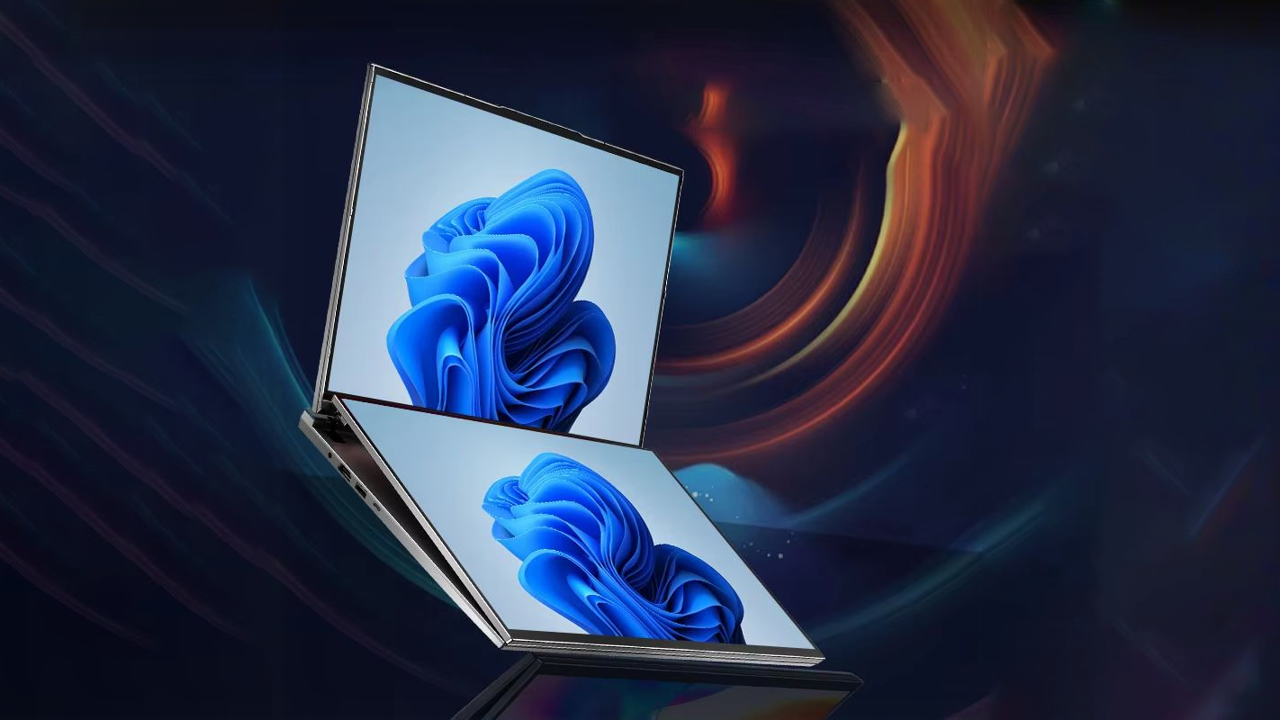
Dual screen laptop
2025’s Best Laptops Revealed: From Budget Picks to Premium Powerhouses
Related Article